


Tor Browser is an open-source browser for Mac designed to let you access the Internet without geographical restrictions while also protecting your privacy to the max. Based on the Mozilla Firefox ESR architecture, this software allows you to connect natively to the Tor network. Just as with other security-focused browsers for macOS, such as Brave, here you will also find an effective shield against all kinds of dangerous threats.
One of the most secure browsers for Mac
Upon opening this browser, you will find an intuitive yet highly secure interface. By encrypting traffic through three layers of random nodes, using Tor Browser makes it practically impossible to trace your location or your real IP address. To increase data encryption, this tool avoids the use of fingerprinting to prevent websites from identifying you based on your system or browser configuration. Unlike a conventional browser, this one uses temporary cookies that disappear whenever you end a session. Additionally, your browsing history will not be stored by default.
Avoid restrictions with simple configurations
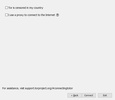
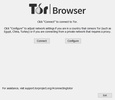
Another strength of Tor Browser's is this browser's ability to bypass restrictions. By completing a simple configuration, this tool offers you the option to use bridges to connect to the network even in high-censorship environments. All traffic will travel encrypted and will be progressively decrypted at each hop, so neither your Internet service provider nor the administrators of the websites you visit will be able to trace your activity back to you.
My experience using Tor Browser
I installed Tor Browser on my computer and, although it's true that browsing was slightly slower than on a standard browser, the increased security more than made up for a few extra seconds of waiting. That said, I was able to set the security level to standard for a smoother browsing experience. Subsequently, I decided to increase the security level, after which the browser disabled unnecessary scripts, giving me total peace of mind when accessing forums and other websites that some browsers don't load. Finally, I found the "new identity" button especially useful for restarting the browser with a totally new IP route with just a single click.
What I liked most about Tor Browser and what could be improved
• What I liked most: the fact that it's a free and open-source tool that offers excellent levels of anonymity. I like that it includes built-in anti-tracking tools and allows you to bypass government restrictions so easily.
• What could be improved: its download speed may be slower compared to Chrome or Edge. Furthermore, some websites block connections originating from Tor exit nodes.
Download Tor Browser for Mac to start browsing without leaving a trace with this browser that's absolutely indispensable for anyone who considers their online privacy non-negotiable.
Tor Browser is for you if
✓ You prioritize maximum online anonymity with Tor routing, multi-layer encryption, and no stored history
✓ You seek unrestricted Internet access, bypassing geographic and governmental blocks through Tor bridges
✓ You value a secure, open-source Mac browser with anti-fingerprinting, temporary cookies, and strong tracking protection
Comments
Magnificent browser based on Firefox and focused on improving user privacy.